iSeePassword Dr.ZIP 4 Overview
iSeePassword Dr.ZIP 4.5.9 is a Windows-based password recovery tool specifically designed to help users open or break into password-protected ZIP archives created with common compression formats like WinZip and PKZip. It uses a variety of automated methods to guess or recover lost passwords, allowing access to the contents of the ZIP file without knowing the original password. At its core, iSeePassword Dr.ZIP addresses the issue of inaccessible ZIP files due to forgotten passwords. Encrypted ZIP archives are commonly used to secure sensitive data, but the loss of the password can lead to data loss and frustration. With iSeePassword Dr.ZIP, users can efficiently recover these passwords and unlock their encrypted files.
Core Functionality
Dr.ZIP is primarily used when you have a .zip or .zipx file that is password-protected and you can no longer remember the credentials. It doesn't "bypass" the encryption in a way that damages the file; instead, it systematically tries password combinations until it finds the correct one.Key Recovery Methods
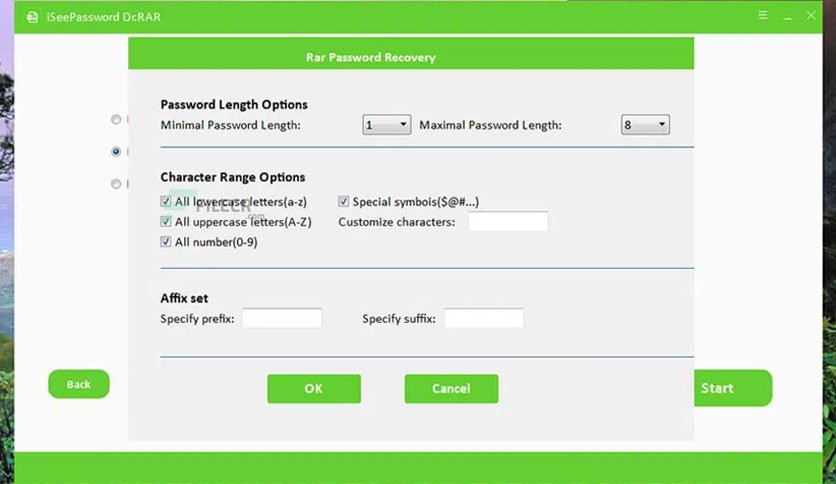
The software typically utilizes three main "attack" modes to retrieve passwords:- Brute-Force Attack: Tries every possible combination of characters. This is the most thorough but can take a long time if the password is long.
- Brute-Force with Mask: Used if you remember parts of the password (e.g., you know it starts with "S" and is 6 characters long). This significantly speeds up the process.
- Dictionary Attack: Uses a built-in or custom list of common passwords to find a match quickly.
Key Features of Version 4.5.9
GPU Acceleration: Supports NVIDIA and AMD hardware acceleration to speed up the recovery process significantly compared to using the CPU alone.- High Compatibility: Works with various ZIP compression standards, including ZIPX and standard ZIP.
- Auto-Save: It can save the recovery progress, allowing you to stop the process and resume it later without starting over.
- Clean Interface: Designed for non-technical users with a "three-step" workflow (Add file -> Select Attack -> Start).
How It Works (General Process)
- Import the file — You open the password-protected ZIP file in the app.
- Select an attack method — Choose the strategy for guessing the password (e.g., Dictionary, Mask, Brute-Force).
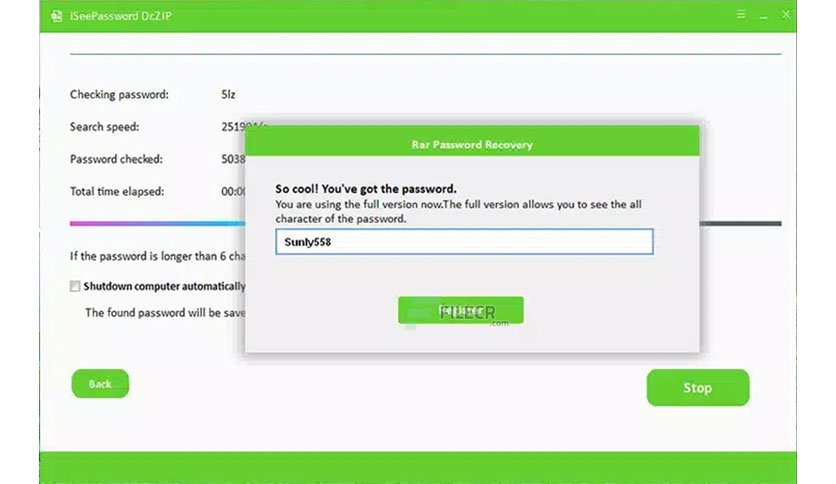
- Start recovery — The software runs through possible combinations automatically until it finds the correct password or exhausts options.
Notes & Considerations
- Effectiveness varies based on password strength; no tool can guarantee success on very strong passwords.
-
User reviews and experiences with iSeePassword products are mixed — some report issues with support or registration practices, so evaluate carefully before purchase.
Technical Specifications
| Feature | Details |
| Supported Formats | .zip, .zipx |
| Operating System | Windows 11, 10, 8, 7, Vista, XP |
| Hardware | Supports Multi-core CPU and GPU acceleration |
| Success Rate | Depends on password complexity and attack mode |
System Requirements for iSeePassword Dr.ZIP 4
- Operating System: Windows 10/8/7/Vista/XP
- Free Hard Disk Space: 200 MB free HDD
- Installed Memory: 1 GB of RAM
- Processor: Intel Core 2 Duo or higher
- Minimum Screen Resolution: 800 x 600
Download iSeePassword Dr.ZIPLatest Version Free
Click on the button given below to download iSeePassword Dr.ZIP 4 free setup. It is a complete offline setup of iSeePassword Dr.ZIP 4 for Windows and has excellent compatibility with x86 and x64 architectures.