
FotoJet Collage Maker Overview
FotoJet Collage Maker 1.3.7 is a versatile graphic design and photo collage software developed by PearlMountain. It is designed to be accessible to users of all skill levels, offering a “drag-and-drop” interface that simplifies the creation of photo grids, posters, cards, and social media graphics. When you download FotoJet Collage Maker 1.3.7, you gain access to a massive library of over 800 templates, ranging from classic grids to 3D creative frames.
While the core functionality remains consistent, FotoJet Collage Maker 1.3.7 represents a specific build that includes critical performance optimizations and library updates over previous iterations. Whether you are designing a birthday card or a professional poster, FotoJet Collage Maker 1.3.7 provides the tools you need to create high-quality, printable photo montages quickly without learning complex design principles.
Features
1. Extensive Template Library
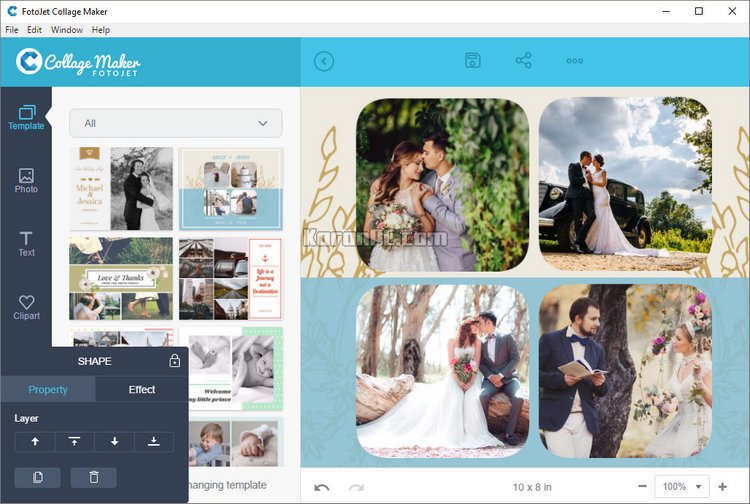
- 800+ Preset Templates: Access a massive collection of professionally designed layouts.
- Diverse Styles: Includes Classic, Modern, 3D, Creative, and Art style collages.
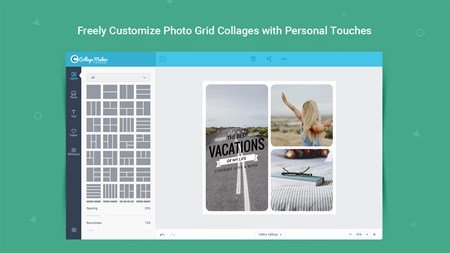
- Photo Grids: Fully adjustable grid layouts for combining multiple images effortlessly.
- Occasion Cards: Specialized templates for Birthdays, Weddings, Anniversaries, Christmas, Graduations, and Baby showers.
- Graphic Design: Templates for Posters, Comics, Fun Photos, and Magazine covers.
2. Advanced Customization
- Drag & Drop Interface: Easily add, swap, or rearrange photos within grids using simple mouse actions.
- Grid Adjustments:
- Spacing: Control the width of margins between photos.
- Roundness: Adjust corner radius for square or rounded edges.
- Aspect Ratio: Change the orientation to 1:1, 4:3, 3:4, 16:9, or custom dimensions.
-
Auto-Fill: Automatically populate selected layouts with your imported photo list to save time.
3. Powerful Photo Editing
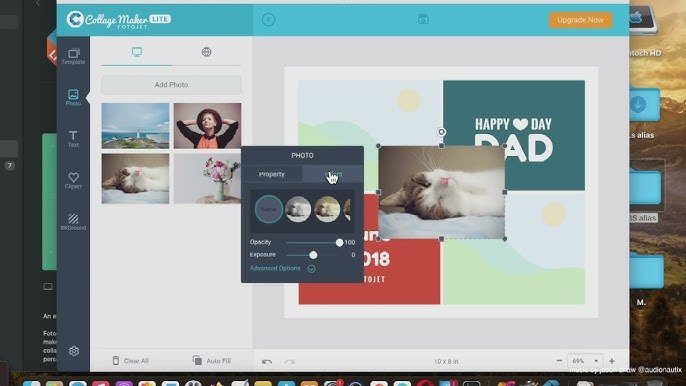
- Photo Tools: Crop, resize, rotate, and flip individual images within the collage cells.
- Visual Effects: Apply filters and effects (like Vintage, Sepia, B&W) to specific photos.
- Adjustments: Fine-tune Brightness, Contrast, Saturation, Hue, and Exposure.
-
Layer Management: Control the stacking order of elements (Bring to Front, Send to Back).
4. Rich Resource Library
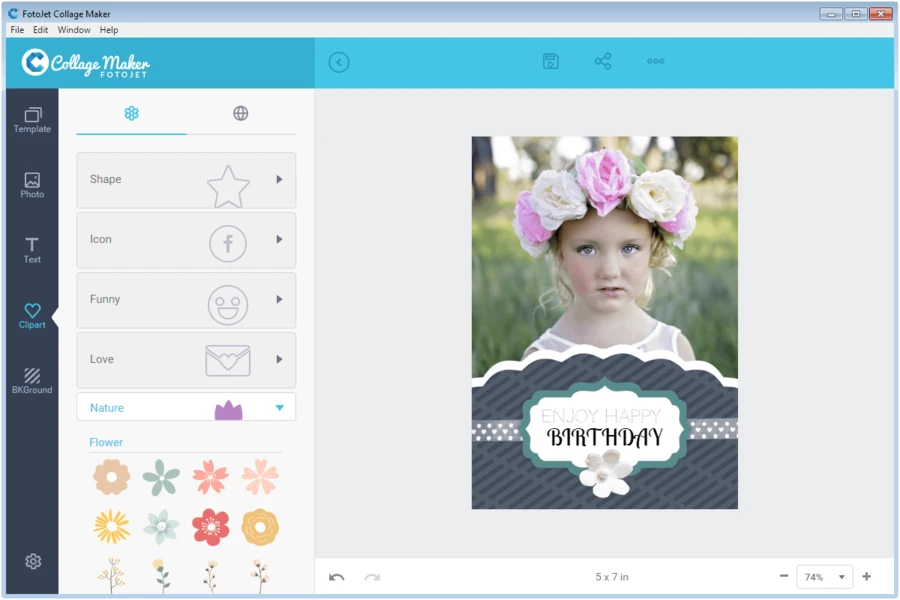
- Text Tools: Add captions using 100+ text fonts and 30+ preset text styles/effects.
- Clipart: Decorate designs with 800+ clipart images (Hearts, Flowers, Landmarks, Emojis, etc.).
- Backgrounds: Choose from 80+ background patterns or solid/gradient colors.
-
Shapes: Add and customize 80+ lines and geometric shapes.
5. Export & Sharing
- High-Quality Export: Save creations as JPG or PNG images at high resolution for printing.
- Project Saving: Save the “Project” file to allow for future re-editing of layers and layouts.
-
Social Sharing: One-click sharing options for Facebook, Twitter (X), Pinterest, and Tumblr.
6. Usability
- No Internet Required: Works offline as a desktop application (unlike the web version).
- Fast Rendering: Optimized performance for handling multiple high-res images without lag.
-
Undo/Redo: Unlimited undo/redo capability for stress-free designing.
Technical Details
- Software Full Name: FotoJet Collage Maker 1.3.7
- Setup File Name: FotoJet_Collage_Maker_1.3.7.rar
- Full Setup Size: 125 MB
- Setup Type: Offline Installer / Full Standalone Setup
- Compatibility Architecture: 32 Bit (x86) / 64 Bit (x64)
- Latest Version Release Added On: 01st Jan 2026
- Developers: PearlMountain
System Requirements
Before you start FotoJet Collage Maker 1.3.7 free download, make sure your PC meets minimum system requirements.
- Operating System: Windows 7/8/8.1/10/11
- Memory (RAM): 1 GB of RAM required.
- Hard Disk Space: 200 MB of free space required.
- Processor: Intel Pentium 4 or later.
What is the latest version of FotoJet Collage Maker?
The developers consistently update the project. You can view the most recent software update on their official website.
What is the verdict?
This app is well-designed and easy to use, with a range of useful features. It performs well and is compatible with most devices. However, there may be some room for improvement in terms of security and privacy. Overall, it’s a good choice for those looking for a reliable and functional app.
Download FotoJet Collage Maker Latest Version Free
Click on the button given below to download FotoJet Collage Maker free setup. It is a complete offline setup of FotoJet Collage Maker for Windows and has excellent compatibility with x86 and x64 architectures.

Clear thinking and excellent delivery — thank you.
The website has become a daily habit.
Really strong article — thank you for the clarity. This website keeps raising the bar.
The article is good and informative. The site is useful and dependable.
I am very thankful for the clear explanations found in this piece.
This site is a primary source of useful knowledge
for me. https://news100.pp.ua/.